
I've been struggling with System Data on my iPhone taking up all the storage. I tried many solutions, including this discussion thread, but nothing worked.
Finally, I found a solution that reduced my System Data from 17GB to 1.57GB!
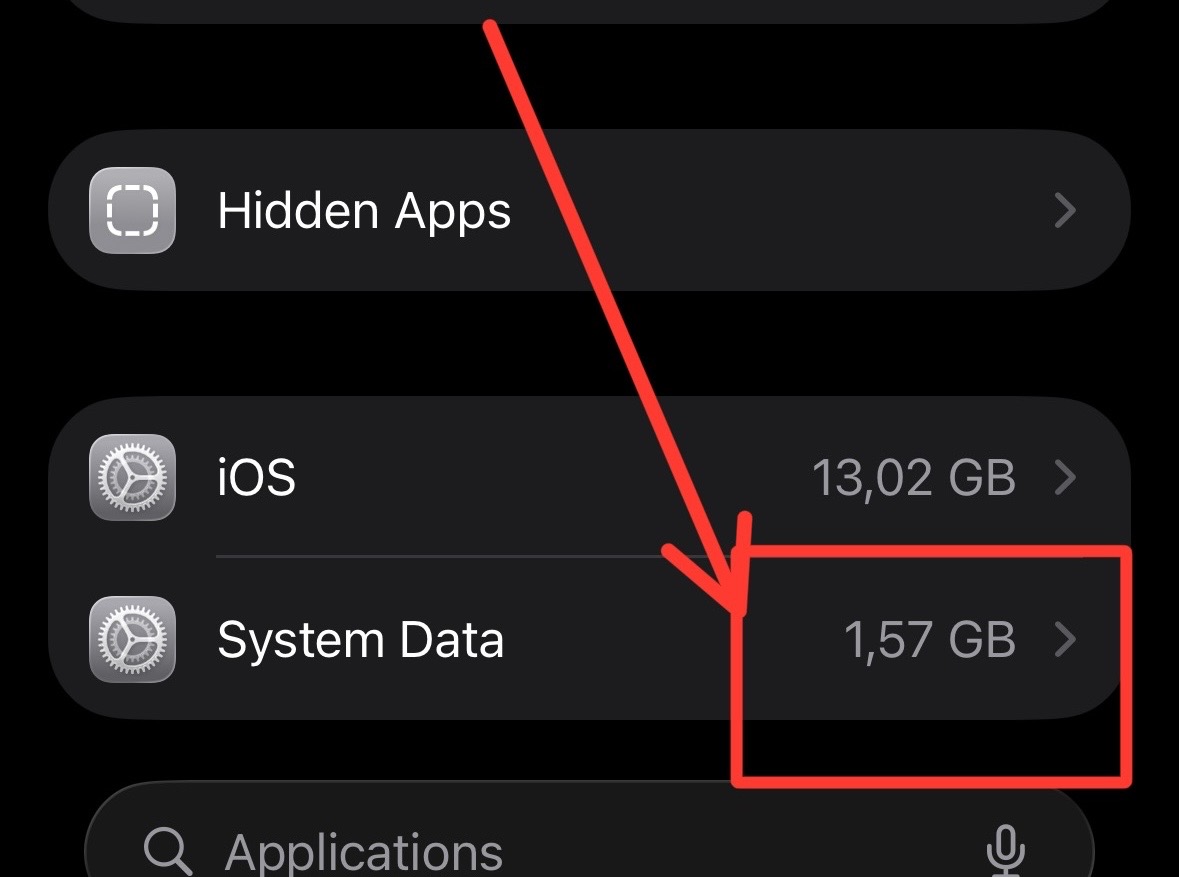
Please note: Do this at your own risk.
Steps
1. Install libimobiledevice
libimobiledevice is a cross-platform FOSS library written in C to communicate with iOS devices natively.
Visit the installation guide for more details.
On macOS, you can install it using Homebrew:
brew install libimobiledevice
Or build from source for the newest version:
mkdir -p limd-build
cd limd-build
curl -Ls -o limd-build-macos.sh https://is.gd/limdmacos
bash ./limd-build-macos.sh
2. Plug in your iPhone
Connect your iPhone to your computer, unlock it, and trust the computer when prompted.
3. Restart to trigger cleanup thread
Run the following command to restart your iPhone:
idevicediagnostics restart
That's it! After your iPhone restarts, it will take a while to finish the cleanup process. Give it 2-3 minutes, then check iPhone Storage again. You'll be surprised to see how much storage has been freed up.